

Top 10 AI Prompts for Instagram Viral Photos of Men’s Stylish Everyday Life
Instagram feeds are crowded, but men’s lifestyle photography that feels both aspirational and real cuts through the noise. This collection of ten premium AI prompts gives you the exact scenes, outfits, and moods that are trending right now—from a snowy city street to a neon-lit rooftop at night. Each prompt is built for ultra-realistic, 8K output that looks like a professional editorial shoot.
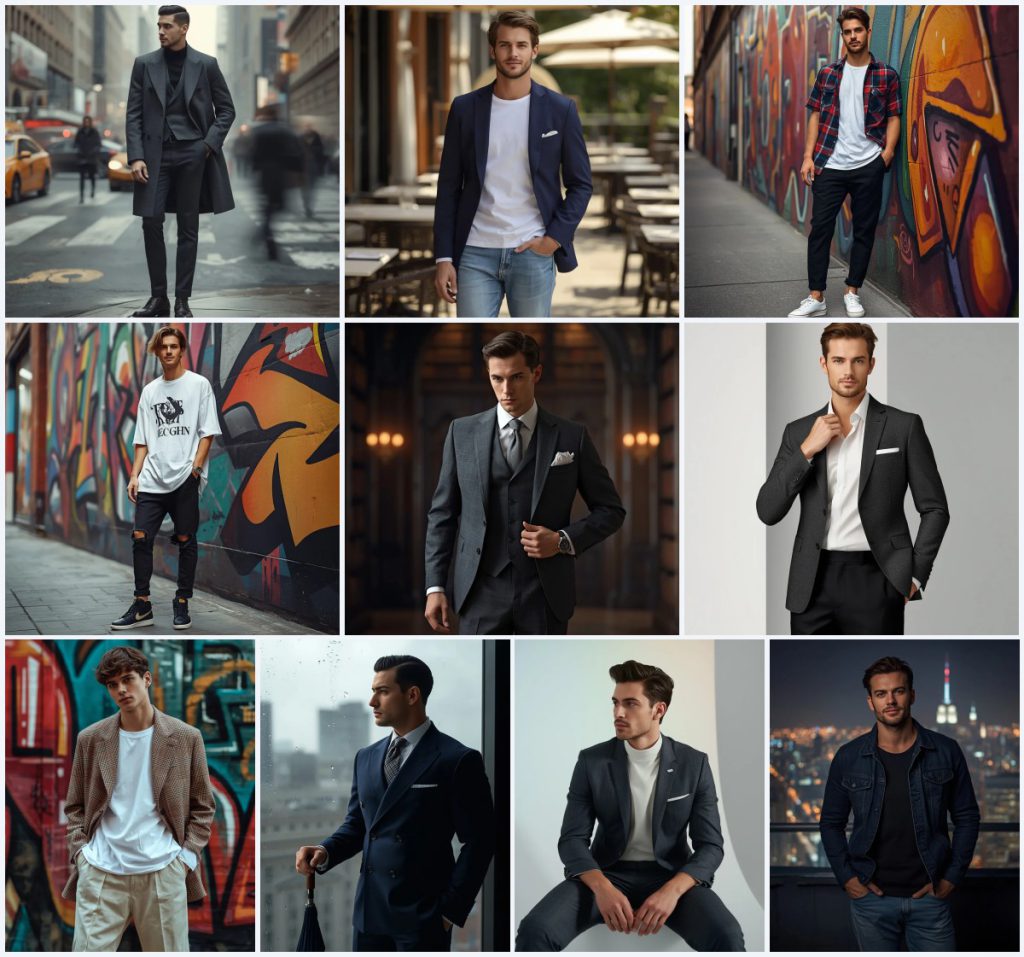
What ties these ten images together is a shared vision of modern masculinity: confident, well-dressed, and placed in everyday settings that feel cinematic. Whether you want a charcoal wool overcoat catching falling snow or a deconstructed plaid blazer against abstract street art, you will find a prompt that matches your brand. The article below breaks down the common scene, the reasoning behind the aesthetic, and exactly how to generate these viral-ready photos.
What this collection of men’s stylish everyday life prompts is asking for
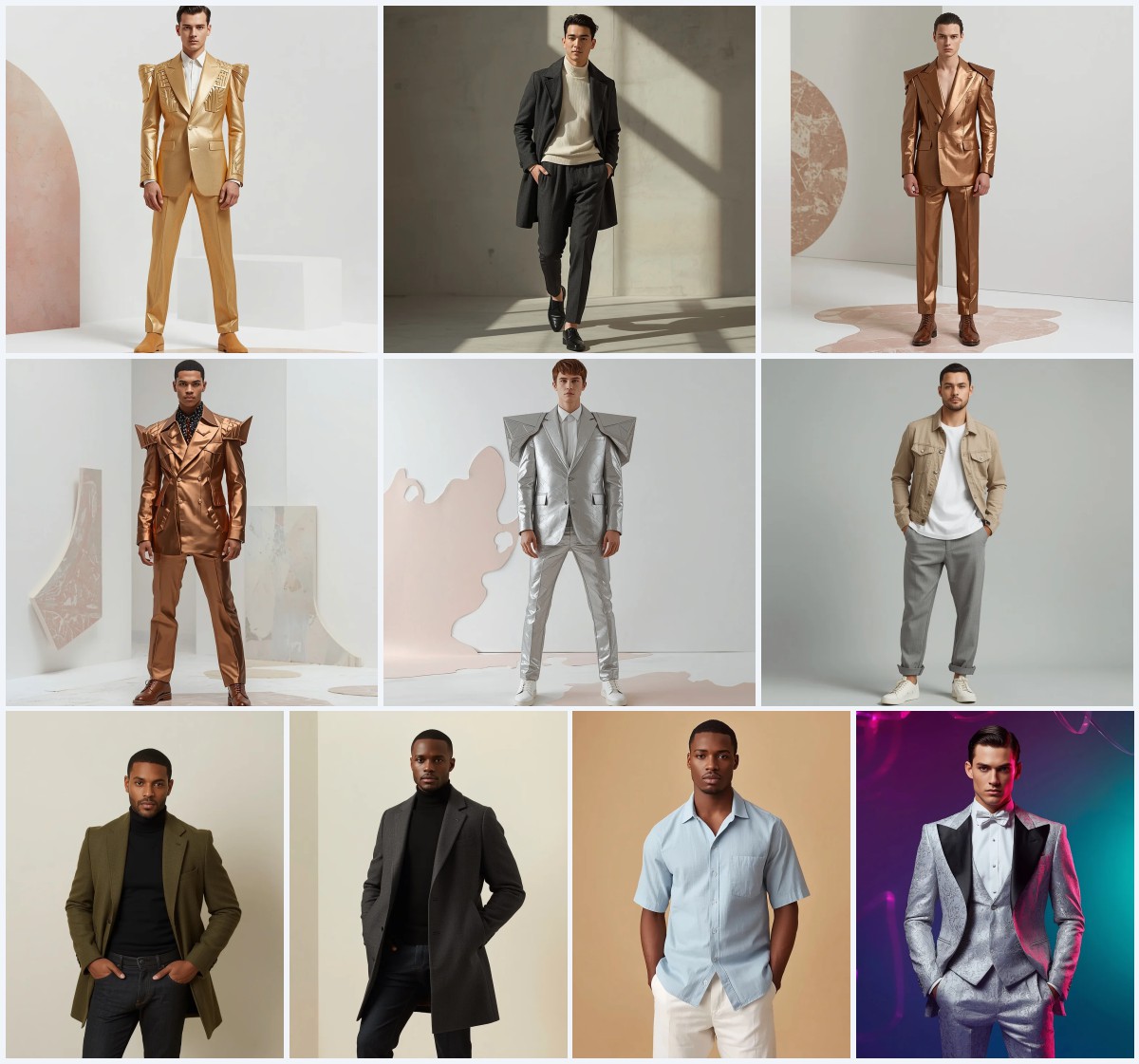
The prompts describe a series of fashionable male figures captured in full-body poses within carefully chosen urban and interior settings. Each scene pairs a specific outfit with an environment that reinforces the mood—sophisticated, edgy, relaxed, or introspective. The AI is instructed to render ultra-realistic textures, 8K resolution, and cinematic or diffused lighting that flatters the subject and blurs the background for depth.
- A male subject with a specific facial expression (mysterious gaze, calm confidence, subtle smirk, contemplative look).
- A detailed outfit such as a charcoal gray wool overcoat, navy blue sport coat, vibrant checkered shirt, oversized graphic tee, three-piece suit, textured charcoal blazer, deconstructed plaid blazer, double-breasted navy suit, designer western suit, or dark wash denim jacket.
- A full-body pose with one hand often resting casually in a pocket.
- A defined background: bustling winter city street, sunny restaurant patio, urban alley with abstract mural, vibrant mural in an urban district, grand library, modern design studio, rainy city window, minimalist white studio, or nighttime rooftop.
- Specific lighting conditions: diffused overcast daylight, bright natural daylight, diffused natural urban lighting, soft cinematic lighting, bright studio lighting, moody window light, cinematic projection lighting, or ambient city lights.
- Texture and resolution commands: ultra-realistic textures and 8K resolution.
The shared scene across these viral Instagram prompts
Across all ten prompts, the central figure is a stylish man caught in a moment of quiet confidence. He is never mid-action; instead, he stands or sits in a relaxed yet deliberate pose, often with “one hand casually in his pocket” or “adjusting his collar with a confident, modern expression.” The environments are not sterile studios—they are lived-in spaces like a “bustling city street corner in winter,” a “sun-drenched outdoor patio,” or a “rooftop overlooking a vibrant city at night.”
The prompts build atmosphere through weather and light. One scene uses “diffused, overcast daylight” to highlight the fabric of a wool overcoat, while another relies on “soft, diffused natural light from the window” to illuminate a contemplative profile. Details like “yellow cabs and bustling pedestrians,” “lush greenery,” and “countless twinkling lights” anchor each image in a believable world, making the subject feel like a real person you might scroll past on Instagram.
Why these prompts work for viral Instagram photos
These prompts succeed because they combine aspirational fashion with relatable, everyday settings, creating images that feel both polished and authentic. The consistent use of ultra-realistic textures and 8K resolution ensures the output meets the high visual standards of Instagram’s most engaged audiences. Additionally, the variety of moods—from mysterious and sophisticated to relaxed and edgy—allows creators to target different content pillars while maintaining a cohesive aesthetic.
- The full-body poses and blurred backgrounds mimic professional fashion photography, making the subject pop and keeping the focus on the outfit and expression.
- Each prompt names real, wearable clothing items like a charcoal gray wool overcoat or a deconstructed plaid blazer, which resonates with audiences interested in men’s style and shopping inspiration.
- The environments are instantly recognizable—a rainy city window, a vibrant mural, a rooftop—which adds a storytelling layer that encourages saves and shares.
Three visual styles you can pull from this prompt collection
While the prompts share a photorealistic foundation, you can emphasize three distinct visual styles by adjusting the generation parameters or post-processing. These styles stay within the boundaries of the original prompt wording, so you never need to rewrite the scene.
- Cinematic Editorial: Boost the contrast and add a subtle film grain to mimic the look of a high-end magazine spread, especially effective with the double-breasted suit by the rainy window or the denim jacket on the rooftop.
- Soft Lifestyle: Reduce saturation and increase warmth to create a cozy, approachable feel, perfect for the sport coat on the restaurant patio or the textured charcoal blazer in the pastel studio.
- Streetwear Edge: Crank up the clarity and vibrance to make the abstract murals and graphic tees pop, ideal for the checkered shirt in the urban alley or the oversized graphic t-shirt against bold street art.
How to generate these men’s stylish everyday life photos step by step
Getting a viral-ready result requires more than pasting text. Follow these six steps to ensure the AI interprets the clothing textures, facial expressions, and background details correctly, and always check the output for common anatomical errors.
- Copy the full prompt text. Select one prompt from the collection and copy it exactly, including all clothing, pose, background, and resolution details.
- Upload a reference photo. If your chosen AI tool supports image input, upload a photo of a real person in a similar pose or outfit to guide the face shape, skin tone, and posture.
- Set aspect ratio and quality. Choose a 4:5 or 9:16 vertical aspect ratio for Instagram, and set the output to the highest available resolution or upscale to 8K.
- Generate and review the face. Run the generation and zoom in on the subject’s face. Check that the eyes are symmetrical, the gaze matches the prompt (e.g., mysterious, calm), and the skin texture is realistic.
- Inspect hands and main object. Look closely at the hands—especially the one casually in a pocket or adjusting a collar. Make sure fingers are not fused or distorted, and that any held item like an umbrella looks natural.
- Refine with inpainting or variations. If the wool overcoat fabric looks flat or the background mural bleeds into the subject, use inpainting to fix small areas or generate variations until the textures and edges are crisp.
Choosing the right reference photo for these prompts
A strong reference photo dramatically improves the AI’s ability to render a believable male subject. The reference does not need to match the outfit exactly, but it should share the same pose and lighting direction described in the prompt.
- Pick a photo where the subject’s face is clearly visible and the expression matches the prompt—such as a subtle smirk for the streetwear shots or a contemplative gaze for the rainy window scene.
- Ensure the reference has soft, diffused lighting rather than harsh flash, so the AI can replicate the natural or cinematic light described in prompts like the restaurant patio or design studio.
- Use a full-body reference if possible, showing a relaxed stance with one hand in a pocket, to help the AI understand the silhouette and proportions of a man in a tailored overcoat or deconstructed blazer.
Best AI tools for generating these stylish men prompts
Different AI image generators handle fabric textures, human faces, and complex backgrounds with varying degrees of realism. The table below compares four popular tools based on how well they can execute the specific details in this collection, such as a charcoal gray wool overcoat or a vibrant abstract mural.
| Tool | Access | Typical realism | Useful here for |
|---|---|---|---|
| ChatGPT | Free and paid tiers | Good, with DALL·E integration | Rendering the tailored suit and opulent library with warm, antique lighting |
| Google Gemini | Free and paid tiers | Moderate to good | Capturing the diffused overcast daylight on the wool overcoat fabric |
| Leonardo AI | Freemium with credits | High, especially with fine-tuned models | Producing the intricate street art and deconstructed plaid blazer textures |
| Midjourney | Paid subscription | Excellent, often photorealistic | Nailing the moody, rain-streaked window and the double-breasted navy suit |
Three tips to make these prompts look even more realistic
Small adjustments to your workflow can push the output from good to scroll-stopping. These tips focus on the materials and objects actually named in the prompts, so you stay true to the original vision.
- Emphasize the wool overcoat texture by adding a negative prompt for “synthetic shine” or “plastic-looking fabric,” which helps the AI render the charcoal gray wool with a believable matte finish and subtle weave.
- For scenes with a vibrant abstract mural, use a high CFG scale or prompt guidance to keep the bold colors and graphic shapes from bleeding into the subject’s checkered shirt or graphic tee.
- When generating the rainy window shot, include a subtle reflection layer in post-processing to enhance the realism of the rain-streaked glass and the navy blue double-breasted suit’s silhouette.
Common issues and quick fixes for these prompts
Even the best prompts can produce flawed results. The table below lists four frequent failures specific to these men’s lifestyle scenes and exactly what to change in your prompt or settings to correct them.
| Issue | What to change |
|---|---|
| The subject’s hand in the pocket looks fused or missing fingers | Add “clearly defined fingers, hands visible” and reduce the denoising strength if using a reference image |
| The wool overcoat appears flat and lacks fabric texture | Increase the weight of “ultra-realistic textures” and add “visible wool weave, fabric detail” to the prompt |
| The abstract mural bleeds into the subject’s hair or clothing | Lower the CFG scale slightly and add “sharp separation between subject and background” to the negative prompt |
| The face looks asymmetrical or the gaze is dead-eyed | Use a high-quality face restoration tool or add “symmetrical face, natural catchlights in eyes” and regenerate |
Frequently Asked Questions
Can I mix elements from different prompts in this collection?
Yes, you can combine the charcoal gray wool overcoat from one prompt with the rooftop city lights background from another. Just keep the lighting description consistent—for example, use ambient city lights instead of diffused overcast daylight—so the AI does not produce conflicting shadows.
Why does the AI sometimes give my subject an unnatural smirk?
Phrases like “subtle smirk” or “knowing smirk” can be interpreted too strongly by some models. Try softening the wording to “slight, relaxed smile” or reducing the prompt weight on the expression to let the AI find a more natural balance.
Do I need to include the 8K and ultra-realistic tags every time?
Including those tags consistently signals the AI to prioritize high detail and texture resolution. If your tool ignores them, switch to a model known for photorealism, like Midjourney’s latest version or Leonardo AI’s fine-tuned photography models.
Conclusion
This set of ten AI prompts gives you a complete toolkit for creating men’s lifestyle images that feel both aspirational and authentic. By understanding the shared scene, choosing the right tool, and following the step-by-step workflow, you can generate photos that stand out on Instagram—whether you are building a personal brand, a fashion mood board, or a client’s social feed. The key is to treat each generation as a starting point and refine the details until the wool overcoat, the rainy window, or the rooftop city lights look exactly right.
Remember to only use a reference photo you have the legal right to edit and share, such as your own image or one with a proper model release.